Your domain sends email even when you are not typing messages yourself—newsletters, invoices, CRM notifications, password resets. DNS email security is the set of public settings that tell the world which servers may send mail for you and whether messages truly came from your organization. Large inbox providers now treat weak or missing authentication as a deliverability problem, not an optional nicety.
What’s at stake if you ignore this: invoices land in customers’ spam folders, marketing campaigns get throttled or blocked by Gmail, and attackers can spoof messages from your CEO to your finance team without owning any of your infrastructure. Get authentication right once and most of these problems disappear.
What you’ll get from this guide: plain-language definitions (apex domain, DKIM selector, DMARC alignment), a checklist before you touch DNS, a safe rollout order, and concrete ways to validate—without memorizing RFC numbers. Coordinating registrar access and vendors is governance work too—similar to aligning teams when reliability matters (DevOps and breaking down silos).
TL;DR
- SPF declares who may send as your domain.
- DKIM cryptographically signs your outgoing mail so receivers can verify it wasn’t tampered with.
- DMARC ties SPF and DKIM to the visible “From” address and tells receivers what to do when they don’t match.
- Start DMARC in monitoring mode (
p=none), fix the failing sources you see in the reports, then graduate toquarantineand finallyreject. - Validate using free online tools or this site’s free email DNS security audit—no terminal required.
- Today: send the IT request template below to whoever controls your DNS, and confirm DMARC aggregate reports start arriving within a week.
Why “no authentication, weak delivery” became normal
Mailbox providers filter enormous abuse volume. To protect users, they increasingly expect senders to prove identity with the DNS email security stack rather than trusting the “From” line alone.
Google publishes bulk-sender expectations for Workspace administrators—including authentication and spam-rate responsibilities—in its Help Center[1]Google Workspace Admin Help. “Email sender guidelines.” Accessed 2026.. Yahoo surfaces comparable guidance through its sender best-practices hub[1]Yahoo Inc. Yahoo Sending Guidelines (best practices)..
The practical lesson for non-technical owners is simpler than the policy pages: if your DNS records do not match how you actually send mail, legitimate campaigns can land in spam—or bounce—while impersonators still exploit gaps.
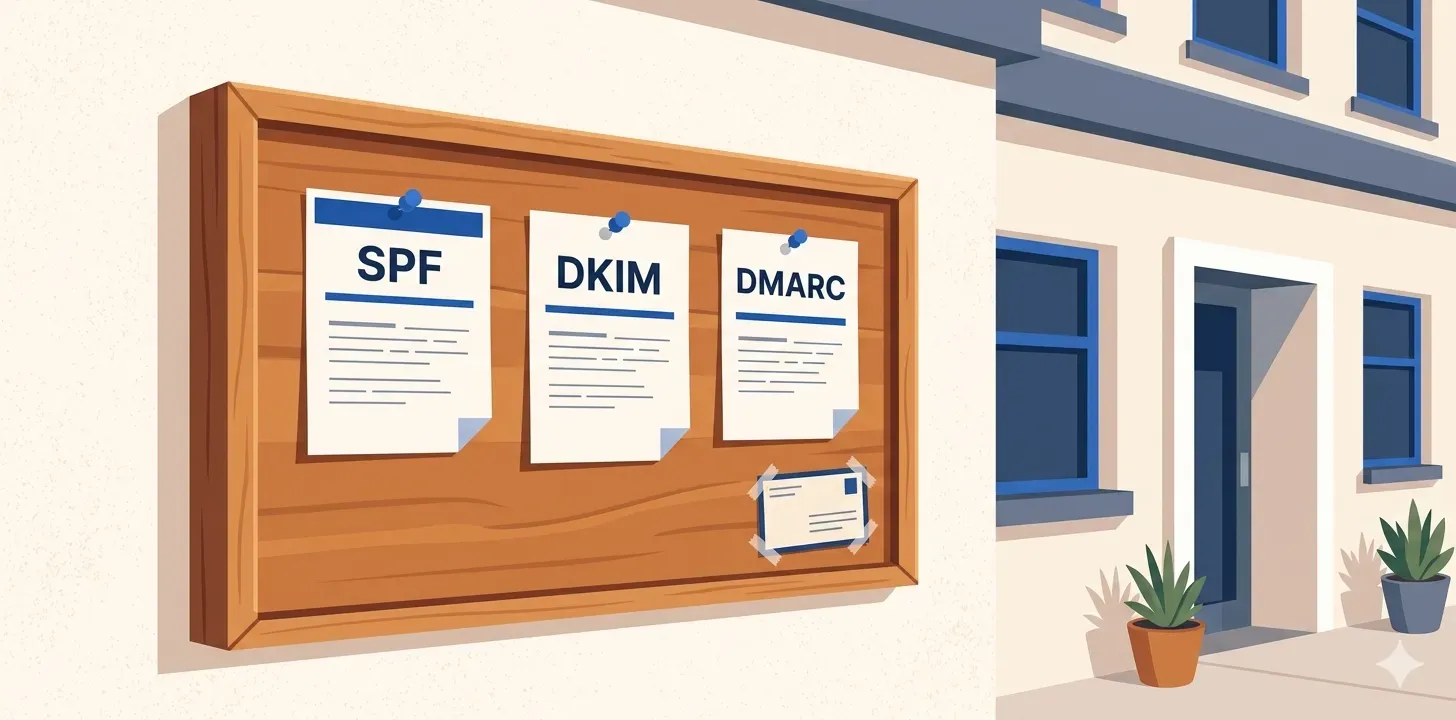
Mental model: DNS as the bulletin board outside your building
Think of DNS as a public bulletin board attached to your domain name. Anyone on the internet can read it; only people with registrar access can change it. Email authenticity protocols are typed notices on that board:
- SPF answers “Which IP addresses and vendors are allowed to send mail claiming our domain?”
- DKIM answers “Here is a public key—messages signed with our private key prove they were not tampered with in transit.”
- DMARC answers “If SPF or DKIM does not align with the visible From domain, here is what receivers should do—and send us reports.”
Three plain-language terms you’ll hear in DNS panels:
- Apex domain: your bare domain (
example.com), not a subdomain likemail.example.com. SPF for outgoing mail usually lives here as a TXT record (often labeled@). - DKIM selector: a label your mail provider chooses so you can rotate keys; DNS hosts publish
your-selector._domainkey.example.com. - Alignment: receivers checking that the domain that passed SPF or DKIM matches (or is related to) the domain shown in the recipient’s From header—otherwise DMARC can fail even when SPF/DKIM individually pass[1]IETF. RFC 7489: Domain-based Message Authentication, Reporting, and Conformance (DMARC)..
Together these records close the loophole where a scammer could forge CEO@yourcompany.com without owning your infrastructure.
SPF (Sender Policy Framework)
SPF lives in a single TXT record at your domain’s apex (often @ in DNS panels). It lists authorized senders—your mail server, Microsoft 365, Google Workspace, Mailchimp, etc.—often via include: pointers to vendor-managed records.
What you should know without memorizing syntax:
- Exactly one SPF TXT record at the apex. Several SPF strings cause receivers to reject SPF evaluation[1]IETF. RFC 7208: Sender Policy Framework (SPF). Sections 4.5 & 4.6 (multiple records & evaluation)..
- End with
-all(hard fail) or~all(soft fail) once you trust your inventory of senders. While migrating, vendors often recommend softer handling until reporting proves coverage.
Non-tech action: export your SPF string from DNS and email every vendor that sends as your domain—marketing, billing, support—to confirm they are listed.
When to call a specialist (SPF PermError)
Heavy SaaS footprints sometimes exceed SPF’s DNS lookup budget during evaluation[1]IETF. RFC 7208, Section 4.6.4 (limits during SPF evaluation).. Symptoms include mysterious deliverability drops after adding another vendor. Fixing it usually means consolidating outbound mail through fewer relays or flattening includes—not something to guess at in production.
DKIM (DomainKeys Identified Mail)
DKIM adds a digital signature inside outgoing mail headers. Receivers fetch your public key from DNS using a selector record such as selector1._domainkey.example.com.
Why receivers like DKIM:
- Forwarding friendliness. SPF often breaks when mail passes through mailing lists or forwarders because the connecting server changes; signatures can survive those paths if intact.
- Tamper evidence. Altered bodies or signed headers typically break the signature.
Follow your provider’s guidance on key length and rotation; Google Workspace recommends 2048-bit keys when generating DKIM keys[1]Google Workspace Admin Help. “Authenticate mail with DKIM.” Accessed 2026.. The protocol itself is specified in RFC 6376[1]IETF. RFC 6376: DomainKeys Identified Mail (DKIM) Signatures..
Non-tech action: ask your IT admin or SaaS vendor for “selector name + expected DNS TXT” and verify the TXT exists. If marketing uses a separate platform, it may publish a different selector—track them in your spreadsheet.
Watch for stale selectors. When you migrate ESPs and forget to remove the old selector, DKIM keeps “passing” via infrastructure you no longer control. Rotate keys roughly yearly, and remove DNS selectors as soon as you decommission the sender that owned them.
DMARC (Domain-based Message Authentication, Reporting, and Conformance)
Publish DMARC as a TXT record at _dmarc.example.com. It carries policy (p=), aggregate reporting targets (rua=), and alignment expectations summarized earlier[1]IETF. RFC 7489: Domain-based Message Authentication, Reporting, and Conformance (DMARC)..
Policy tags you will see:
| Tag | Plain meaning | Typical use |
|---|---|---|
p=none | Report only; receivers still observe failures but policy does not instruct blocking | Discovery: learn every legitimate sender before tightening |
p=quarantine | Treat many failures as suspicious (often spam folder) | Gradual enforcement once passes stay high |
p=reject | Instruct receivers to refuse mail that fails DMARC after alignment checks | Strongest protection once operational confidence is high |
Aggregate RUA reports summarize worldwide sending attempts in XML attachments[1]IETF. RFC 7489: Domain-based Message Authentication, Reporting, and Conformance (DMARC).. Route them to a monitored mailbox or vendor—someone must review them weekly during rollout.
Treat DMARC dashboards like operational KPIs: they reveal Shadow IT mail streams long before marketing remembers that abandoned SaaS integration.
Before you change DNS: gather this in one place
Now that the three protocols are clear, take inventory before touching DNS. Use a spreadsheet row per vendor or mail source:
- Who hosts DNS for the domain (registrar vs Cloudflare vs MSP)?
- Where mailboxes live (Google Workspace, Microsoft 365, Fastmail, etc.).
- Every system that sends as your domain (CRM, billing, marketing ESP, alerts).
- DKIM selectors each vendor expects you to publish (ask support docs or IT).
- Where DMARC aggregate reports (
rua) should go—a mailbox only analysts can access. - A screenshot or export of today’s apex SPF TXT before edits.
Starting message for IT / DNS provider
The point of this message is to open a conversation, not to hand IT a checklist. Your IT team or provider already knows the technical details—what they need from you is context (why now), permission (you want this prioritized), and an invitation to lead the technical sequencing. Use this as a starting message and let them take it from there:
Subject: Email authentication checkup for example.com — getting your read
Hi [name],
I'd like to do a checkup on our domain's email authentication setup.What's prompting it: [pick what fits — newsletters landing in spam,adding a new ESP, Google/Yahoo bulk-sender requirements came up,or just wanting a clean baseline before the next big campaign].
Could you share:
1. The current state of our SPF, DKIM and DMARC records (a screenshot   or paste of what's published is fine).2. Which tools send mail as our domain today — Workspace/M365, our   marketing and transactional ESPs, CRM, billing, anything else.3. Your read on whether anything looks off, and what you'd recommend   as next steps.
My goal is for legitimate mail to authenticate cleanly and to movetoward a stricter DMARC policy once we have visibility into who issending. Happy to follow your lead on sequencing and timing.
Thanks!
Resist the urge to add v=DMARC1, p=none|quarantine|reject, or specific record values to this message—even if you’ve just read about them. Including them reads as either copy-pasted from an article or as second-guessing IT’s expertise. Keep the request about intent and visibility; let the people with admin access propose the technical answers.
Safe rollout order (don’t skip steps)
- Observe: publish DMARC with
p=none, captureruareports. - Inventory: list every authorized sender + DKIM selector + SPF includes.
- Fix failures: align SPF/DKIM until passes stabilize on legitimate mail.
- Graduate policy: move to
quarantine, optionally usingpct=for staged sampling when supported.pct=20applies your policy to 20% of failing mail—useful for a controlled enforcement ramp before going to 100%. - Reject: only after tooling shows sustained high pass rates and stakeholders accept risk trade-offs.
DNS edits stay incremental—lower TTLs during migrations if your DNS host allows it, raise them afterward.
Transport security: MTA-STS and TLS-RPT (when encryption must not fall back silently)
Authentication proves sender identity; transport security protects messages between servers. Opportunistic TLS can fail open if something strips encryption attempts.
MTA-STS lets you advertise “only encrypted hops with matching MX identities.” You publish a TXT landmark at _mta-sts.example.com and host a tiny policy file over HTTPS at mta-sts.example.com[1]IETF. RFC 8461: SMTP MTA Strict Transport Security (MTA-STS)..
TLS-RPT adds aggregated feedback when TLS negotiation fails[1]IETF. RFC 8460: SMTP TLS Reporting..
Non-tech takeaway: confirm with engineering whether MTA-STS is sensible before flipping enforce mode—misconfigured MX lists can interrupt mail flow during testing.
Quick free win: CAA
A CAA record limits which certificate authorities are allowed to issue TLS certificates for your domain. Publishing one is a five-minute change with no operational risk if you list the CAs you actually use—and it meaningfully reduces the chance of a mistaken or fraudulent certificate being issued in your name[1]IETF. RFC 8659: DNS Certification Authority Authorization (CAA)..
Ask IT to publish a CAA record listing the CAs you use today (e.g., letsencrypt.org, digicert.com). Most domains can do this without coordination beyond confirming which CA your renewals run through.
Advanced topics (DNSSEC, DANE, BIMI)
Most organizations nail SPF/DKIM/DMARC first. Treat everything below as advanced—engage DNS/security specialists before flipping switches.
| Topic | Who needs it soon | Plain takeaway |
|---|---|---|
| DNSSEC | Regulated sectors or domains facing aggressive spoofing | Cryptographically signs DNS answers so attackers cannot silently substitute TXT records mid-flight[1]IETF. RFC 4033: DNS Security Introduction and Requirements.. |
| DANE / TLSA | Shops already running DNSSEC end-to-end | Publishes expected TLS identities for SMTP—powerful but operationally heavier than MTA-STS alone; builds on DNSSEC trust[1]IETF. RFC 7672: SMTP Security via Opportunistic DANE TLS.. |
| BIMI | Brand-heavy consumer mail programs | Lets mailbox providers display inbox logos when DMARC reaches enforcement and BIMI DNS assertions validate—publisher policies still vary[1]IETF. Internet-Draft: Brand Indicators for Message Identification (BIMI).. Verified Mark Certificates remain part of many rollout paths[1]AuthIndicators Working Group. BIMI Group resources & certification guidance.. |
If these rows feel unfamiliar, that is fine—bookmark them for your technical counterpart.
Validate without touching the terminal
Three reputable, free options for inspecting your DNS records and authentication results:
- This site’s free email DNS security audit — runs the same SPF/DKIM/DMARC/MX/MTA-STS/TLS-RPT checks the CLI does, in your browser. No install, no signup.
- MXToolbox — long-running TXT/MX lookup tool with a deliverability-focused report.
- Google Postmaster Tools — if you send any meaningful volume to Gmail, this is the source of truth for how Google sees your domain.
After publishing records, send a test message from each sending platform to a personal Gmail or Outlook account and read the authentication results:
- Gmail: open the message, click the three-dot menu → Show original → check the
Authentication-Resultsblock forspf=pass,dkim=pass,dmarc=pass. - Outlook (web/desktop): open the message → … → View → View message source (or File → Properties → Internet headers) → look for the same
Authentication-Resultslines.
Commercial DMARC tooling (dmarcian, Postmark DMARC Digests, Valimail, etc.) parses the XML reports into dashboards and goes deeper, but it is optional at small scale.
Whichever tool you use, remember it reads public MX/TXT records only—it does not prove inbox placement or alignment by itself. The actual Authentication-Results from a real test message is the ground truth.
Pitfalls worth naming in vendor calls
- Multiple SPF TXT strings at the apex—must merge into one authoritative record[1]IETF. RFC 7208: Sender Policy Framework (SPF). Sections 4.5 & 4.6 (multiple records & evaluation)..
- Marketing on a subdomain without alignment—sometimes solved via subdomain-specific DMARC/DKIM rather than forcing root-domain alignment blindly.
- Forgotten SaaS sender after canceling a contract—trim SPF includes when vendors depart.
Conclusion
DNS email security is domain governance, not a one-off checkbox. SPF lists authorized mail paths, DKIM proves integrity, DMARC aligns identity with policy—and mailbox providers increasingly insist on coordinated authentication for bulk and transactional mail alike[1]Google Workspace Admin Help. “Email sender guidelines.” Accessed 2026..
This week, do these three things:
- Send the IT request template above to whoever controls your DNS, and ask for the current values before any changes.
- Publish (or confirm) DMARC at
_dmarc.example.comwithp=noneand a workingrua=mailbox. - Read your first aggregate report and identify the top one or two senders failing alignment.
Tighten policy only after reports look stable. For a quick sanity check on your records right now, run the free email DNS security audit; for hands-on help interpreting odd failures, reach out via the contact page.